ManRiq  Technologies PVT. LTD.
Live Module

Track distributed teams without micromanaging them

Clock in/out, screenshots, activity levels, and productivity reports for remote and hybrid teams — with a native desktop app for Windows, macOS, and Linux.

See Pricing
app.track-distributed-teams-without-micromanaging-them.io
R
A
Live
All systems Synced

The problems it solves

No visibility into remote work

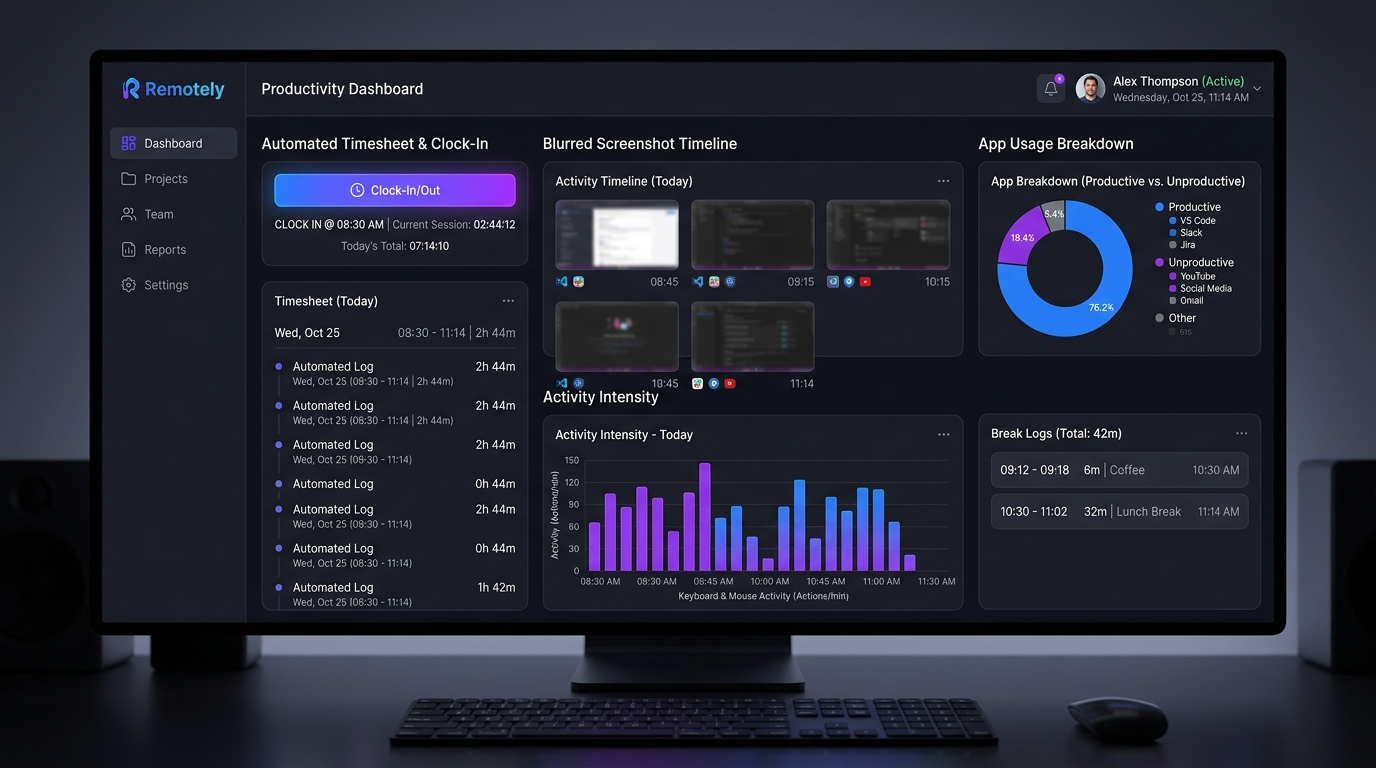
A live "who's working now" dashboard shows today's hours and activity across your whole team, in real time.

Core capability

Manual timesheets are unreliable

Timesheets are auto-tracked from clock in/out, with manual entry still available for exceptions — all subject to an approval flow.

Late clock-ins go unnoticed

Configurable alerts flag missed clock-ins, excessive idle time, and unproductive-time thresholds as they happen.

What's included

Screenshots, privacy-respecting

Interval-based screenshots with a tenant-wide blur setting, and permission-gated deletion.

Core capability

Activity levels, never keylogging

Keyboard/mouse activity is measured by event counts only — never key content.

Apps & websites usage

Time per app/site, categorized productive/unproductive/neutral — categories your tenant controls.

Idle detection & auto-pause

Tracking automatically pauses after a configurable idle period, so idle time never counts as work.

Leave & holidays

Leave requests with an approval flow, plus a shared holiday calendar.

Projects & tasks

Assign tasks with status, priority, and deadlines, and track time against each one.

How it works

STEP 01

Install the desktop app

Employees log in once with their ManRiq Technologies PVT. LTD. credentials — Windows, macOS, and Linux all supported.

STEP 02

Clock in & pick a task

Tracking only ever runs while clocked in, with a visible on-screen indicator so it's never ambiguous.

STEP 03

Managers review dashboards & reports

Timesheets, attendance, and productivity reports are ready to export as PDF or Excel, permission-gated per role.

Ready when you are

See WFH Tracking on your own data

Book a walkthrough and we'll set up a trial workspace for your team.

We use cookies to improve your experience. By using this site, you agree to our use of cookies.